8.4 Run on many studies
AI Batch Process runs the same tools from chapters 8.1–8.3 across selected studies from the Dataset—without opening each series by hand.
Demo studies
Use the same fixtures you practiced one-at-a-time:
| Tool in batch | Fixture to include |
|---|---|
| Remove Pixel PHI | davidson_cxr |
| Harmonize + Face blur | CT_Head_With_Contrast |
Import both (or the full test_dcm_files tree), open Dataset, select those studies, then start AI Batch Process.
Goal
Process a cohort for burned-in text, Harmonize, and/or face blur with progress and a summary.
Before you start
- Import the demo series above (and any other studies you need).
- Finish AI Features setup for every tool you will run.
- Optionally walk 8.1–8.3 once so you know expected results.
Start a batch
- Open Dataset and select studies (include
davidson_cxrandCT_Head_With_Contrastfor a full demo). - Start AI Batch Process.
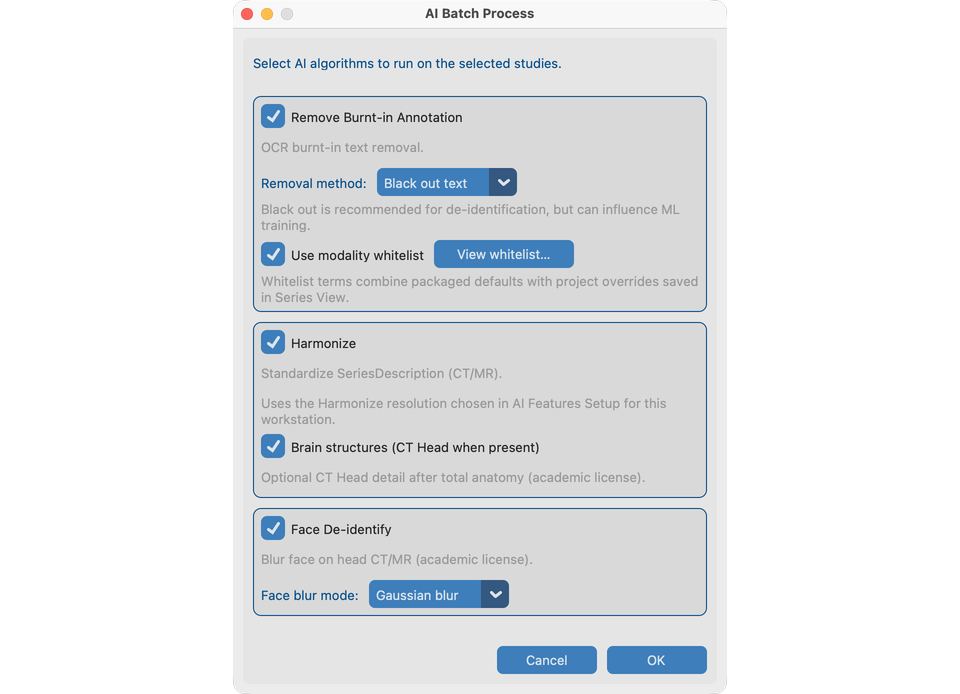
- In options, choose algorithms:
- Remove Pixel PHI (blackout vs blend; modality whitelist on/off) — exercises
davidson_cxr - Harmonize (workstation CT/MR resolution from AI Features) — exercises
CT_Head_With_Contrast - Face blur (Gaussian to match chapter 8.3) — exercises
CT_Head_With_Contrast - Preview modality whitelists if offered.
- Confirm memory warning if shown, then start.
Order of work
For each series, selected tools run in a stable order (pixel PHI → Harmonize → face blur) so memory use stays predictable.
During the run
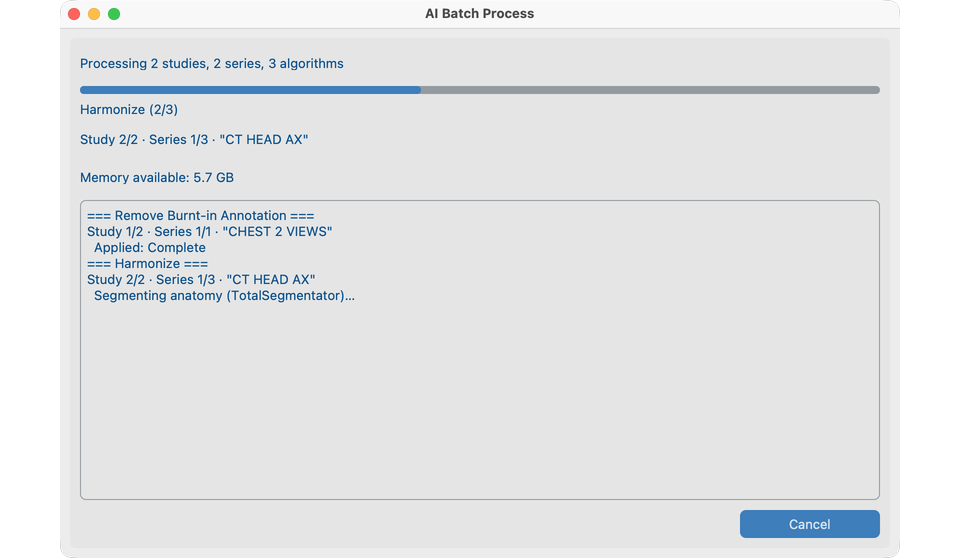
- Progress shows study / series / phase.
- Cancel stops after the current step when possible.
- Low memory can abort with a clear warning.
- Already-processed series are skipped by default.
Afterward
- Read the summary (completed / skipped / failed).
- Spot-check Series View on
davidson_cxrandCT_Head_With_Contrastbefore export. - Same job on a server without a window → Run headless.
What good looks like
- Summary matches expectations; Dataset AI columns updated for the demo studies.
- Log file has detail for any skips.
If it fails
- Features not ready → AI Features.
- No series for selection → check Dataset selection.
- Insufficient memory → close other apps or process fewer studies.
Next steps
Continue with Send to export anonymized studies (or run headless for server batch).